

QuickBooks for personal finances offers a comprehensive solution to take control of your money management. While most people associate QuickBooks with small business accounting, this powerful software is equally effective for individuals who want to organize income, track expenses, create budgets, and prepare taxes with precision.
Many individuals struggle with scattered financial records across multiple apps and spreadsheets. QuickBooks consolidates everything into one secure platform, giving you a clear picture of your financial health. Whether you’re managing household bills, multiple income streams, or preparing for tax season, QuickBooks adapts to your personal finance needs with professional-grade features that were once exclusive to businesses.
Understanding QuickBooks and Its Personal Finance Capabilities
QuickBooks is a cloud-based accounting software developed by Intuit that simplifies financial management. The software is primarily designed for businesses, but its powerful features make it an excellent choice for personal money management too. Unlike traditional personal finance apps, QuickBooks provides the depth and flexibility needed for complex financial situations.
The platform operates on a simple principle: every financial transaction has a designated place. You can track where your money comes from and where it goes, categorize spending patterns, and generate insightful reports. This systematic approach to personal finance helps you make informed decisions about your budget and long-term financial goals.
QuickBooks Online is the cloud-based version that offers access from any device with an internet connection. The software comes with varying plans, including Simple Start (designed for basic tracking) and Plus plans (offering advanced budgeting and reporting). A 30-day free trial allows you to explore features before committing to a subscription.
Key Features of QuickBooks for Managing Personal Finances
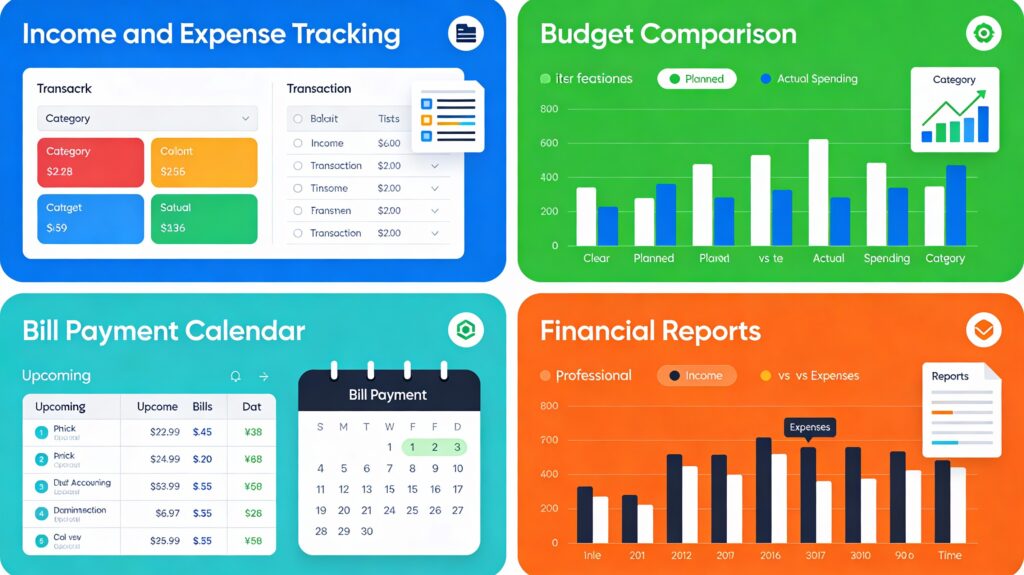
Income and Expense Tracking
Real-time transaction tracking is the foundation of personal finance management. QuickBooks automatically imports transactions from connected bank and credit card accounts, eliminating manual data entry. You can categorize income sources and expenses, making it easy to see spending patterns at a glance.
The software supports multiple account types: checking, savings, credit cards, and loans. This multi-account setup provides a complete view of your financial position. Automatic transaction downloads save hours of administrative work each month. You simply verify and categorize imported transactions, then the software organizes them into your chart of accounts.
Budgeting Tools and Financial Planning
QuickBooks allows you to create detailed monthly, quarterly, or annual budgets based on your actual spending history. The budgeting feature compares your projected expenses against real spending, helping identify areas where you’re overspending. This visibility is essential for achieving financial goals like saving for a vacation, building an emergency fund, or paying down debt.
You can set budget categories for essential expenses (utilities, groceries, mortgage) and discretionary spending (entertainment, dining out). QuickBooks tracks your progress continuously, alerting you when you approach budget limits. This proactive approach prevents overspending before it happens rather than discovering problems after the fact.
Bill Payment Automation and Cash Flow Management
Manually paying bills and tracking due dates is tedious and error-prone. QuickBooks eliminates this burden through bill automation features. You can schedule payments in advance, set up recurring bills (rent, insurance, subscriptions), and receive payment reminders automatically.
The “memorized transactions” feature streamlines repetitive entries. Once you’ve created a bill template for your monthly electric bill, for example, QuickBooks remembers the vendor, amount, and account details. Next month, you simply confirm the transaction, change the amount if needed, and save time. This efficiency compounds monthly, saving you significant administrative effort.
Cash flow management becomes clearer when you can visualize incoming and outgoing money. QuickBooks shows your account balances in real-time, helping you understand when bills are due and how much discretionary money you have available. This visibility prevents overdraft fees and helps you plan large purchases strategically.
Tax Preparation and Expense Organization
Tax season becomes significantly less stressful when your finances are organized in QuickBooks. The software categorizes transactions throughout the year, making tax preparation straightforward. You can create custom categories for deductible expenses, medical costs, charitable donations, and state/local taxes.
If you’re self-employed or have side income, QuickBooks tracks this separately. Mileage tracking features automatically record business-related driving, helping you claim deductions accurately. Expense categorization ensures you don’t miss opportunities for legitimate tax deductions.
Financial Reporting and Insights
QuickBooks generates comprehensive reports that reveal financial trends and patterns. Income versus expense reports show your profit or loss over specific periods. Cash flow projections help you anticipate future financial needs. Spending by category reports highlight where your money actually goes versus where you planned it to go.
These insights enable data-driven financial decisions. When you see that entertainment expenses exceed your budget, you can adjust spending immediately. When you notice income is seasonal, you can plan savings accordingly. Reports transform raw transaction data into actionable intelligence.
Setting Up QuickBooks for Personal Use
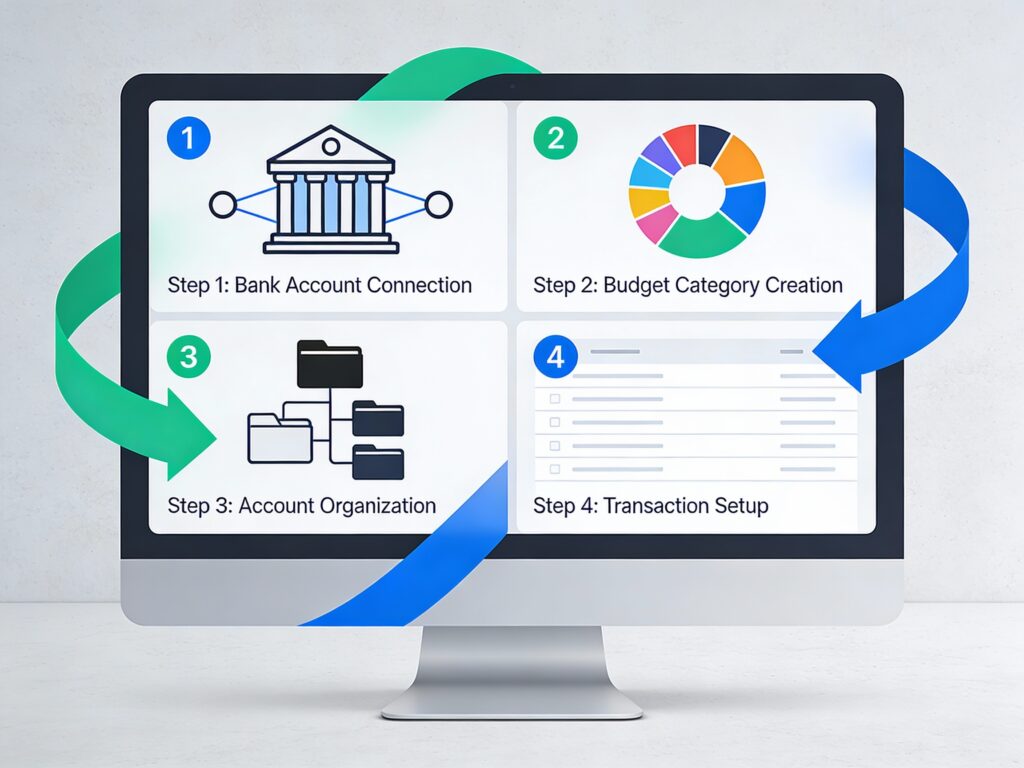
Step 1: Choose the Right Plan
Start by evaluating your needs. QuickBooks Simple Start ($38/month after initial discount) suits those who primarily need basic expense and income tracking. If you need budgeting, reporting by category, or the ability to track multiple projects, upgrade to Plus ($99/month after discount).
Consider your financial complexity. Self-employed individuals with variable income benefit from Plus plans. If you’re primarily tracking household expenses with occasional freelance income, Simple Start may suffice. The free 30-day trial allows you to test both plans before deciding.
Step 2: Create Your Chart of Accounts
Customize QuickBooks to match your life by creating relevant account categories. Standard personal accounts include checking, savings, money market, and various credit cards. Create expense accounts for regular categories: groceries, utilities, transportation, entertainment, childcare, medical, and insurance.
Add accounts for savings goals: emergency fund, vacation fund, holiday fund. These accounts help you allocate money intentionally rather than haphazardly. Create an income account for your primary employment and separate accounts for side gigs or investments.
Step 3: Connect Your Bank Accounts
Link your bank and credit card accounts to QuickBooks securely. This connection allows automatic transaction downloads, saving significant data entry time. QuickBooks uses industry-standard encryption to protect your credentials and account information.
Once connected, transactions appear in your register within a day. You verify and categorize them, or QuickBooks learns your patterns and categorizes them automatically over time. This automation is one of the biggest time-savers in personal finance management.
Step 4: Set Up Your Budget
Create a comprehensive budget that reflects your actual financial life. Review three to six months of historical transactions to establish realistic budget amounts. QuickBooks calculates monthly averages automatically, providing data-driven starting points for budget categories.
Set budgets for essential fixed expenses (mortgage, insurance) and variable expenses (groceries, utilities). Include discretionary categories (entertainment, dining) with amounts that feel sustainable. Remember, an ideal budget is realistic and achievable, not restrictive and guilt-inducing.
Best Practices for Using QuickBooks Effectively
Reconcile Regularly
Weekly or bi-weekly reconciliation keeps your accounts accurate and catches errors quickly. Match your QuickBooks records with bank statements to identify discrepancies before they compound. This reconciliation process takes 15-30 minutes typically and prevents expensive mistakes.
Most financial experts recommend weekly reconciliation, though bi-weekly is acceptable. The key is regularity. If you wait until month-end, small errors become harder to trace. Regular reconciliation also helps catch fraudulent transactions quickly.
Categorize Transactions Consistently
Consistency in transaction categorization is critical for accurate reporting and budgeting. Establish naming conventions and stick to them. If you’ve created a “Groceries” category, always use that exact category rather than switching between “Groceries,” “Food,” or “Grocery Shopping.”
This consistency enables QuickBooks to track spending patterns accurately. When categories vary, reports become muddled and hard to interpret. Spend five minutes establishing your categorization rules, then follow them faithfully.
Review Reports Monthly
Generate budget comparison reports monthly to stay on top of your spending. Compare actual expenses to budgeted amounts and adjust the following month’s behavior if needed. These monthly check-ins prevent surprises at year-end and help maintain financial discipline.
Set aside 30 minutes monthly for a financial review. Look at cash flow, spending by category, and account balances. Celebrate areas where you came under budget and identify categories that need adjustment. This monthly ritual keeps you engaged with your finances rather than ignoring them.
Keep Security as a Priority
Use strong, unique passwords for your QuickBooks account. Enable two-factor authentication for additional security. Never share your login credentials with anyone. Change passwords periodically and log out when using shared computers.
QuickBooks stores sensitive financial information, so security practices matter tremendously. The software uses encryption and secure servers to protect your data, but your login habits are equally important. Treat your QuickBooks password like your banking password—protect it carefully.
QuickBooks Versus Other Personal Finance Solutions
Personal finance management tools vary significantly in features and approach. Basic budgeting apps like Mint focus primarily on spending tracking with minimal planning features. QuickBooks offers considerably more depth with sophisticated reporting, tax organization, and multi-account management.
| Feature | QuickBooks | Traditional Personal Finance Apps |
|---|---|---|
| Transaction Tracking | ⭐⭐⭐⭐ | ⭐⭐⭐ |
| Budgeting Tools | ⭐⭐⭐ | ⭐⭐⭐⭐ |
| Investment Tracking | ⭐⭐ | ⭐⭐⭐⭐ |
| Tax-ready Reports | ⭐⭐⭐⭐ | ⭐⭐ |
| Ease of Use | ⭐⭐ | ⭐⭐⭐⭐ |
| Cost | Higher | Lower |
Quicken is another popular option for personal finances, offering features specifically designed for individuals rather than businesses. However, QuickBooks works equally well for personal use with the added benefit of advanced reporting and the ability to grow into business accounting if needed.
Spreadsheet-based tracking offers total control but requires discipline and technical skill. Most people abandon spreadsheets within weeks due to the manual data entry burden. QuickBooks automation removes this friction, making consistent financial management sustainable long-term.
The best personal finance tool is the one you’ll use consistently. QuickBooks’ combination of automation, comprehensive features, and ease of use makes it ideal for people serious about financial management.
Advanced Tips for Maximizing QuickBooks
Using Classes for Multi-Purpose Tracking
QuickBooks Plus allows you to assign “classes” to transactions, enabling multi-dimensional tracking. You might assign income transactions to separate classes for full-time employment and side gigs. This setup lets you track each income source’s profitability separately.
Similarly, expense transactions can be classified by category or project. If you’re planning a kitchen renovation, assign all related expenses to a “Kitchen Renovation” class. QuickBooks then reports on that project separately, showing the total cost and completion status.
Creating Custom Expense Categories
Rather than forcing your spending into generic categories, create custom categories that match your actual life. If you have a pet, create a “Pet Expenses” category rather than forcing veterinary bills into a general “Medical” category. If you’re training for a marathon, create a “Fitness Training” category to track this specific goal.
Custom categories make reports more meaningful and help you understand where your money truly goes. They also make budgeting more accurate because you’re comparing apples to apples—your actual spending categories against your actual budget.
Utilizing Paycheck Stubbing
If you’re employed and receive regular paychecks, QuickBooks allows you to create detailed paycheck records. Even though you’re not running payroll, recording salary income with gross amounts, taxes, and deductions creates accurate financial records. This setup is particularly useful for side income combined with employment income.
Connecting Additional Financial Accounts
QuickBooks can connect to investment accounts in some cases, though it’s not designed for detailed investment tracking. You can record monthly balances to monitor your net worth growth, even if individual transactions aren’t imported. This high-level investment overview is sufficient for most personal finance management purposes.
Common Challenges and Solutions
Challenge: Too Much Detail Some people create overly complex charts of accounts with dozens of categories. This complexity makes data entry tedious and reporting confusing.
Solution: Start simple with major categories (income, major expense areas). Add subcategories only if they provide meaningful financial insights.
Challenge: Inconsistent Data Entry Financial management only works if you consistently enter transactions. Neglecting data entry for weeks creates inaccurate reports and defeats the purpose.
Solution: Schedule a weekly 15-minute session to review and categorize new transactions. Make it a non-negotiable appointment with yourself.
Challenge: Not Using Reports Some people set up QuickBooks but never generate reports, missing the insights that drive good financial decisions.
Solution: Schedule a monthly 30-minute financial review where you generate and analyze key reports. This discipline ensures you benefit from the information QuickBooks provides.
Taking Control of Your Personal Finances
Implementing QuickBooks for personal finances requires initial setup time but delivers long-term benefits. You’ll understand your spending patterns, manage your budget effectively, prepare for taxes efficiently, and make more informed financial decisions.
The software accommodates various financial situations—from straightforward household budgets to complex situations with multiple income sources, investments, and business activities. As your financial needs evolve, QuickBooks scales accordingly.
Start with the free trial to experience the software firsthand. Set up your accounts and import a few months of historical transactions. Generate reports and see how they illuminate your financial picture. Most people quickly realize that the time invested in setup pays dividends in financial clarity and control.
Frequently Asked Questions
Can I use QuickBooks for both business and personal finances? Yes, you can use the same QuickBooks account for both purposes. However, keeping them separate in different accounts (or even different QuickBooks instances) provides better organization and clarity, especially if you’re self-employed.
Is QuickBooks secure for storing sensitive financial information? QuickBooks uses industry-standard encryption and secure cloud servers to protect your data. Your responsibility includes maintaining strong passwords and enabling two-factor authentication.
Does QuickBooks integrate with my bank? Yes, most major banks and credit card companies work with QuickBooks. You can securely connect your accounts during setup. The integration allows automatic transaction downloads and real-time account balances.
Can I track investment accounts in QuickBooks? QuickBooks isn’t designed as an investment tracker. However, you can record monthly investment account balances to monitor net worth. For detailed investment tracking, consider specialized investment apps alongside QuickBooks.
What’s the learning curve for new users? QuickBooks has an intuitive interface that most people learn quickly. Basic features like transaction tracking and categorization are straightforward. Advanced features like budgeting and reporting have clear menus and explanations.
Conclusion
QuickBooks for personal finances transforms how you manage money. By centralizing your financial information, automating routine tasks, and providing actionable insights, QuickBooks empowers you to make confident financial decisions.
Whether you’re planning a major purchase, saving for retirement, or simply trying to understand your spending, QuickBooks provides the tools and clarity you need. The investment in setting up the system pays dividends through reduced financial stress and improved money management decisions.
Start your 30-day free trial today and experience how QuickBooks can elevate your financial management from reactive to proactive, from uncertain to informed, from scattered to organized.

Karthick Raja, MBA, is a personal finance educator and HR professional with 10+ years of experience in Personal Finance ,taxation, payroll, and career development. He helps readers build wealth, manage money wisely, and grow professionally.